Every audio tool you need,
supercharged.
Convert, cut, join and remix audio in seconds. Slowed + reverb, 8D, bass boost, BPM, video tools and a full studio. Everything runs in your browser, so your files never leave your device.
or drop audio and video files here
Pick a tool, get it done
Popular tools up front, with every other audio job one click away.
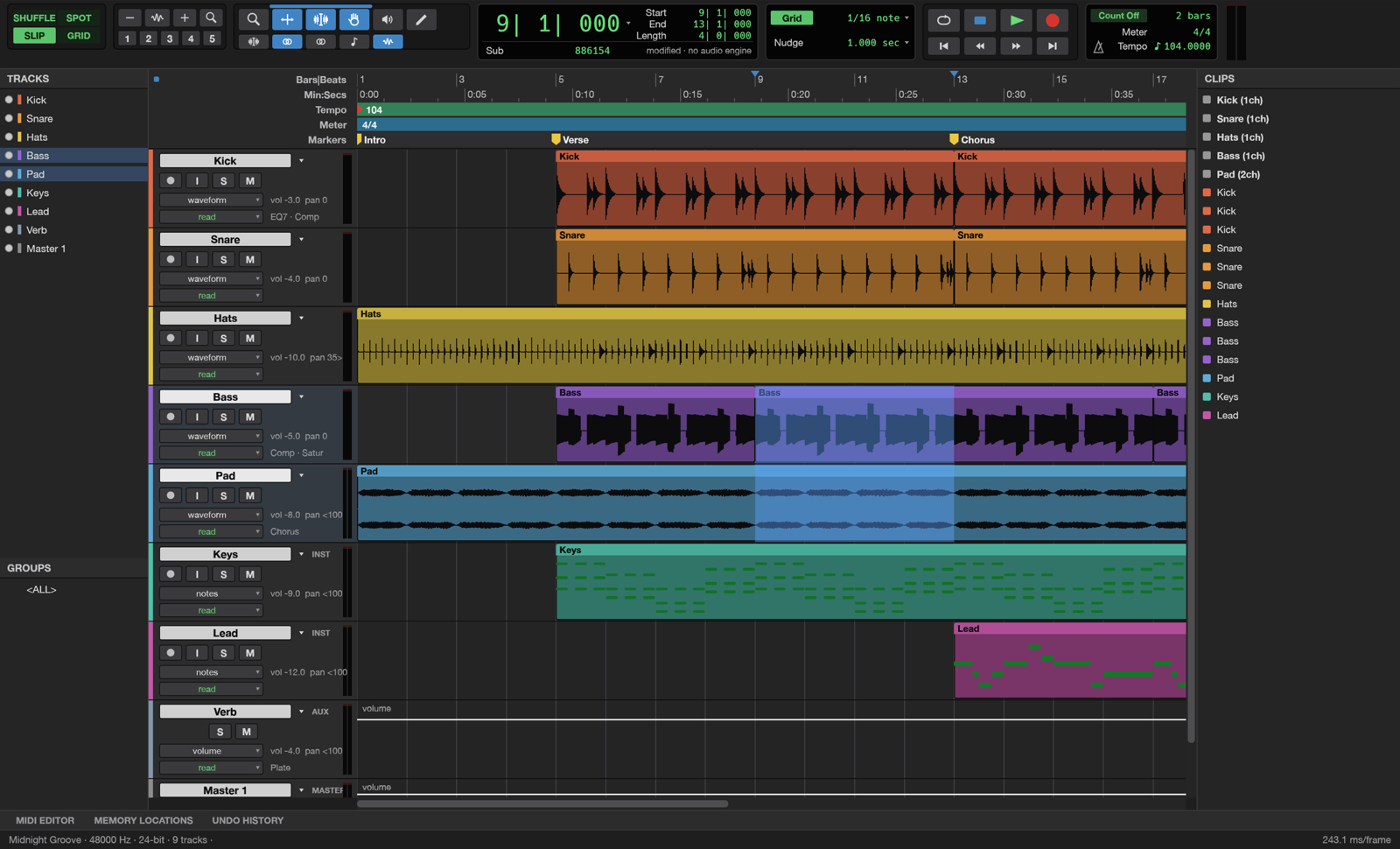
A full music studio, in a browser tab.
Multitrack editing, a mixer with EQ, compressors and reverbs, MIDI with built-in synths and drums, automation and bouncing to WAV or FLAC. No install, no account.
- Multitrack editing & undo
- Built-in synths, drums & sampler
- EQ, dynamics, reverb, delay
- Piano roll & score view
- Automation & markers
- Pitch-preserving warping
How AudioCharger works
Choose your files
Click “Select files” or drag & drop songs, recordings or videos onto the page.
Pick a tool
Convert, trim, add effects or analyze. Tweak the settings and preview before you save.
Download the result
Save your finished file straight away. Nothing is stored or uploaded to any server.
The audio toolkit that never uploads your files
Most online audio sites send your recordings to their servers. AudioCharger does the work inside your browser using WebAssembly and WebCodecs, so voice notes, demos and private recordings stay with you.
100% private
All processing happens in your browser. Your files never leave your device.
Lightning fast
No upload or download queues. Files are processed locally at full speed.
Completely free
No registration, no watermarks, no limits, no hidden costs.
Works anywhere
Windows, Mac, Linux, iPhone or Android. All you need is a modern browser.
Frequently asked questions
Is AudioCharger really free?
Yes. Every tool is free with no sign-up, no watermark and no daily limits. The site is supported by unobtrusive ads.
Are my files uploaded anywhere?
No. Your audio and video files are processed inside your browser with WebAssembly and WebCodecs. They never leave your device.
Is there a file size limit?
Only your device's memory. Most phones handle songs and short videos easily; laptops can process files of several hundred megabytes.
Which formats are supported?
AudioCharger opens MP3, WAV, FLAC, M4A/AAC, OGG, Opus, WebM, MP4, MOV and MKV, and saves MP3, WAV, FLAC, M4A, OGG and WebM.
Does it work on my phone?
Yes. The tools work in modern browsers on iPhone, Android, Windows, Mac and Linux. The Studio needs a desktop browser with WebGPU or WebGL2.
Ready to charge up your audio?
Free, private and instant. Drop a file and pick a tool.
Browse all tools